Showing posts with label video. Show all posts

Saturday, February 27, 2016

動画とクイズをインタラクティブに

2016.2.27 @KATEマルチメディア講習会

ワークショップ資料

Public Kahoots:閲覧には教員アカウントでログインを

Zaption Gallery: 閲覧には教員アカウントでログインを 

Quizlet: ログインなしで公開済みのセット閲覧できます。

"Personality" で検索したところ

Thursday, February 25, 2016

Zaption のレッスンを共有する

レッスン作成終了→ Share ボタンをクリック

右上の Shareボタンで共有

  • 共有されたレッスンにモバイルでアクセスすると「アプリが必要」と言われます。


Zaption で動画教材を作る・使う

1. アカウント作成


2. レッスンを作成 
  • Create New Lesson → 動画選択画面
探す

確認して追加する

レッスンに動画が追加されました(複数の動画利用は有料版で)
  • エレメント追加:エレメントアイコンを動画の右側にドラッグ
エレメントアイコン(画面上部)
エレメントアイコン(画面上部)
  • エレメントの中身を作成・編集
エレメント=多肢選択
エレメント=テキストスライド

  • エレメント設定(エレメント上部の Element Settings)

表示位置・挙動・表示時間を設定

  • 動作確認→ Publish
黄色の帯はテキスト表示部分;線は多肢選択の位置
  • Start ボタン→学習モード(再度動作確認) 

学習モードで動作確認中
学習モードで動作確認中

  • Present ボタン→プレゼンテーションモード(教室用)
学生参加用のコードが表示されます→これを使って見ている学生の反応が記録されます


Sunday, May 30, 2010

Updates On HTML5 From Google I/O

Updates On HTML5 From Google I/O:
HTML 5 に注目 
*Google I/O っていうイベントがあるのね。
*これも初耳→ Font API and directory

HTML5 開発がもっと簡単に(どの程度かね)
  1. Release of open source, royalty-free video format WebM
  2. HTML 5 pack for Dreamweaver CS5 Adobe Labs (Dreamweaverのエクステンションらしい。使ってないもんなー)
関連記事
  1. Is HTML5 Ready for eLearning Development?
  2. The Open Screen Project – Will It Succeed?
  3. eLearning: Interesting Weekly Finds #10

Wednesday, May 26, 2010

HTML5 – The Next Evolution for eLearning - Interactyx

HTML5 – The Next Evolution for eLearning - Interactyx

HTML5のメリット(vs Flash)
コンピュータのリソースの20%を使う(Flash は40%... そんなにか!知らなかった)

Flashベースの教材(Moodle対応)が大学のコンピュータ上では重くて使いモノにならなかったのを思い出した。大学の設備などには教員はあまりタッチできないし、学生が家庭で使うコンピュータには口出しできないし...てことを考えると、できるだけ軽い方がよいと思う。

こんなのもあるし:HTML5 Player


Wednesday, February 18, 2009

Tuesday, February 17, 2009

Teacher Training Videos created by Russell Stannard

Teacher Training Videos created by Russell Stannard

Marcel recommends:
Teacher Training Videos is exactly what the title suggests, a site full
of videos showing how to use technology for language teaching. It's a fantastic resource for tools and tips.

Monday, February 16, 2009

Sunday, February 15, 2009

Audio in Moodle

MoodleDocs

Audio modules & programs

Please see the complete list under See also. The information in this page maybe moved to their own pages in the future.

Using Audacity to Convert audio and Record voice

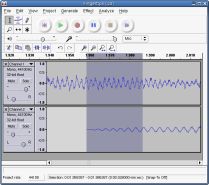
Audacity is free, open source software for recording and editing sounds. It is available for Mac OS X, Microsoft Windows, GNU/Linux, and other operating systems. Learn more about Audacity... Also check our Wiki and Forum for more information.

  • Note: Audacity may not be suitable for encoding MP3s for use with Flash Player at the default sample rate settings. At lower bit rates, it uses sample rates that are not a multiple of 11.025 kHz and the resulting MP3 files may either play at an incorrect speed, the chipmunk effect, or not play at all. See the Audacity documentation on how to set the sample rates.

Features

  • Record live audio.
  • Convert tapes and records into digital recordings or CDs.
  • Edit Ogg Vorbis, MP3, WAV or AIFF sound files.
  • Cut, copy, splice or mix sounds together.
  • Change the speed or pitch of a recording.
  • And more! See the complete list of features


Audacity help and tutorials


MoodleDoc Links:


Modules and Plugs at Moodle:


Freeware or almost:

      • Gong integrates with Moodle (requires a Java server)
  • SUPER - a Windows-only general media encoder that offers full control over media file parameters and supports all major audio and video file types.
  • Amadeus Pro for both recording & editing; not freeware but close.

Saturday, February 14, 2009

LETメールマガジン 第48号より

□■======================
★ The Treasure Hunt Club
No. 42 Surveys, Quizzes, and Lots of Listening
Marcel Van Amelsvoort
(Kanagawa Prefectural College of Foreign Studies)
======================□■

Welcome back to the Treasure Hunt and welcome to 2009. This past
year was an exciting one in CALL. 2008 was the year that Web 2.0
tools really came of age. So many great sites are now available with so
many interesting activities and functions and so much good content.
The challenge for instructors is no longer finding good content and
activities, but now the challenge is selecting the most suitable tools,
introducing them to students, supporting them as they get accustomed
to these new tools and then training them to be active independent
learners.

This month I have a few really nice sites to introduce. The first two are
sites I've had bookmarked for a while but haven't gotten around to
including in this column. The last three are sites included by Russell
Stannard in his Best of 2008 page at his site Teacher Training Videos.
Teacher Training Videos is exactly what the title suggests, a site full
of videos showing how to use technology for language teaching. It's a
fantastic resource for tools and tips.
(http://www.teachertrainingvideos.com/).

My Studiyo (http://www.mystudiyo.com/) is a site that allows users to
make great-looking quizzes that can be embedded into web pages. The
quizzes themselves are simple and easy to use. They are designed to
include images or a combination of images and text and so they look a
lot more fun than regular multiple choice quizzes.

SurveyMonkey allows you to design and create surveys and then collect
and analyze the results. (http://www.surveymonkey.com/Default.aspx)
A basic service is available for free (allowing you to make surveys with
up to 100 responses) and it is probably enough for most teaching
situations. You can customize the surveys and you have lots of options
for collecting and analyzing results.

Lingualnet (http://www.lingual.net/lingualproductitems/index.php) is a site
that has lots of video content organized for use by people learning English.
I have introduced this site before, but it has grown greatly in content and
functionality in the last two years. Users now have control over subtitles
and can make comments on the content. The site is owned by Michael
Rost, and a lot of effort has been put into making it a good learning tool.
Learners can control the subtitles, there are quizzes for comprehension,
and learners can rate and comment on each of the videos. The site is
now very user-friendly and nicely interactive.

Yappr (http://en.yappr.com/welcome/Welcome.action) is another video-
based site. The player gives learners quite a bit of control: you can see
transcripts and translations, listen to a clearer version of the audio, or
repeat sentences. A chat function allows registered users to interact with
other learners and at present there is a good mix of learners from around
the globe.

Listen and Write: Do the dictation yourself (http://www.listen-and-write.com/).
This site is a news dictation site that is really nice for serious English
students. New topics are added daily so this site can be great for
earners interested in following the news more closely. The dictation
system is quite sophisticated and only allows learners to input the
words after they hear them. You can try an example on the starting
page for the site.

That's it for this month. See you next month.

Monday, January 19, 2009

Saturday, January 10, 2009

Sunday, November 23, 2008

icl-list Digest, Vol 26

***The Potentiality of the Teaching-Learning Objects (T-LO) and
Teaching-Learning Virtual Environments (T-LVE)
(Elena Maria Mallmann, Ingrid Kleist Clark Nunes)
http://online-journals.org/i-jet/article/view/179
doi:10.3991/ijet.v3i4.179
*International Journal of Emerging Technologies in Learning (iJET)*
Volume 3, Issue 4 (2008)

(User 登録済み)

***A Technological Framework for the Authoring and Presentation of
T-learning Courses
(Francesco Bellotti, Stefanos Vrochidis, Sophie Ramel, Ioannis
Tsampoulatidis, Pascal Lhoas, Matteo Pellegrino, Giancarlo Bo, Ioannis
Kompatsiaris)
http://online-journals.org/i-jet/article/view/631
doi:10.3991/ijet.v3i4.631

***Semantic Web-based Video Streaming Application
(Ashraf M. A. Ahmad, Samir Abou El-Seoud)
http://online-journals.org/i-jet/article/view/195
doi:10.3991/ijet.v3i4.195